
Best Baby Monitors for Twins: What Actually Works in Real Life
This post may contain affiliate links. As an Amazon Associate, I earn from qualifying purchases at no extra cost to you.
If there is one baby product I tell every expecting twin parent to invest in, it is a good baby monitor. Not the cheapest one on the shelf, not the one that was gifted to you. A really good one. Because when you have two babies, you are going to use it constantly. We used ours every single day from the moment we brought our twins home, and three years later, it is still going strong.
After a lot of trial, error, and research, here is my honest breakdown of the best baby monitors for twins, including the one I absolutely love, a budget-friendly no-WiFi option, and a pick for parents who want serious peace of mind.
Why Baby Monitors Matter More with Twins
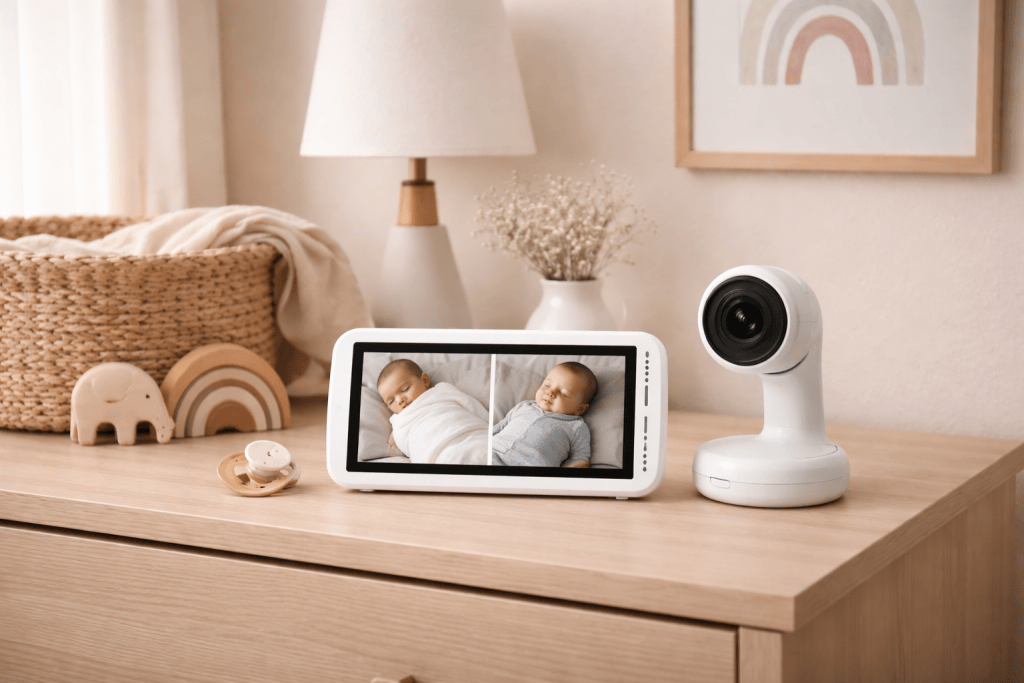
With one baby, you can get away with a pretty basic setup. With twins, you need to be able to see both babies at the same time, ideally without being glued to your phone or running back and forth between cribs. A monitor that supports split-screen viewing, connects to your phone, and gives you flexibility for naps, nighttime, and travel is not a luxury with twins. It is a necessity.
Here is what to look for:
- Split-screen capability so you can watch both babies simultaneously
- App connectivity so you can monitor from anywhere in your home (or away from it)
- Easy mounting options (wall mount, stand, or travel-friendly)
- Night vision that is actually clear
- A home display option so caregivers and partners do not have to use your phone
Our Top Pick: Nanit Pro
Best for: Twin parents who want a smart, beautiful, app-connected monitor they will use for years
I cannot say enough good things about the Nanit. We have used ours every single day since we brought our twins home, and they are about to turn three. That is the best endorsement I can give any baby product.
Why I love it
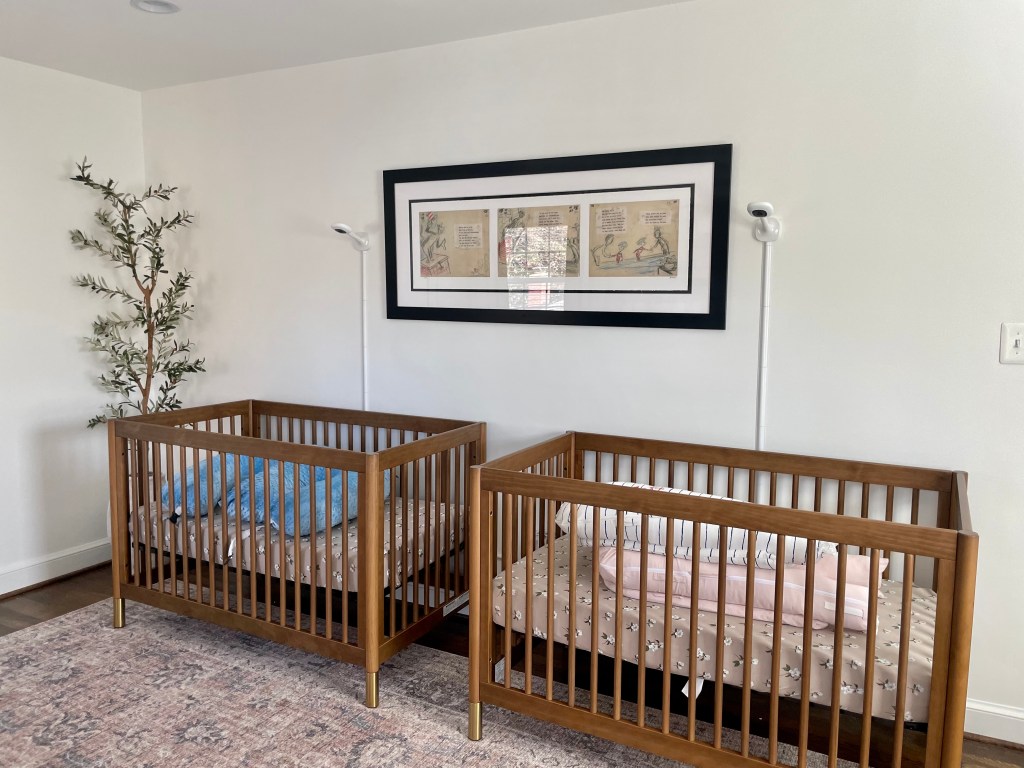
The Nanit is wall-mounted, which gives you a perfect bird’s-eye view of the crib so you can see exactly what position your baby is in without any guessing. The image quality is crisp, the night vision is excellent, and the app is genuinely easy to use.
The app is one of the biggest reasons I recommend Nanit to twin parents specifically. You can view both cameras on a split screen within the app, which means one phone, one screen, both babies. When we were in the thick of the newborn stage, being able to glance at my phone and see both kids at once was a game changer.
We used an iPad as a dedicated monitor screen in the house so we were not always on our phones, and that worked really well for us, especially when a nanny or caregiver was watching the kids. Nanit has since released a Nanit Home Display, which is essentially a dedicated screen made for exactly this purpose. If I were purchasing today, I would absolutely buy the Home Display for the added versatility.
The travel Pack
We have the Nanit Travel Pack, which includes a case and a mini stand for one camera. Taking the camera off the wall mount is incredibly easy. It pops right off, and the travel stand sets up quickly wherever you are. I love having it for trips.
One honest note: the camera occasionally has trouble connecting in hotels. WiFi in hotels can be finicky, and the Nanit is WiFi-dependent. For this reason, we also travel with a cheap, non-WiFi backup monitor just in case. I would rather have it and not need it than be stuck without a monitor at 2am in a hotel room.
What it includes
- Wall mount (or stand, both available)
- App with split-screen view for multiple cameras
- Sleep tracking and breathing wear (optional)
- Nanit Home Display available separately
- Travel Pack available separately
→Shop the Nanit Pro Multi Pack
Best Budget Pick: HelloBaby Video Monitor with 2 Cameras
Best for: Parents who want reliable dual-camera monitoring without WiFi or a monthly app subscription
If the Nanit is out of budget, or if you simply prefer a monitor that does not require WiFi, the HelloBaby HB6550 is a fantastic option. It comes with two cameras right out of the box, has true split-screen viewing on a 5-inch screen, and does not require an app, an account, or an internet connection.
This is also the type of monitor I would recommend as your travel backup. It is simple, reliable, and works anywhere. No hotel WiFi required.
Why it works for twins
The two cameras can pan, tilt, and zoom remotely, which means you can see into every corner of the crib without walking into the room. The infrared night vision kicks in automatically in low light, and the two-way audio lets you soothe your babies with your voice from wherever you are.
It does not have the smart features or app connectivity of the Nanit, but for parents who want something simple and dependable, it delivers exactly what you need.
→Shop the HelloBaby Monitor with 2 Cameras
Best for Peace of Mind: Owlet Dream Duo (Gen 3)
Best for: Parents who want health monitoring in addition to video
The Owlet Dream Duo Gen 3 pairs a 2K HD camera with the FDA-cleared Dream Sock, which tracks your baby’s pulse rate and oxygen levels in real time while they sleep. For parents of newborn twins who want an extra layer of reassurance, especially in those early weeks, this is a really compelling option.
The Gen 3 is a meaningful upgrade from previous versions. The camera now shoots in 2K HD with a 130-degree wide-angle lens and 4x zoom, so you can see a lot of the room in one shot. The system also monitors nursery temperature and humidity and sends alerts if conditions fall outside a comfortable range, which is a nice added bonus for newborn parents.
One thing worth noting: Gen 3 no longer requires a subscription for full access to live health readings, sleep tracking, and real-time notifications. That is a big change from the previous version and makes it a much better value overall.
It is the most expensive monitor on this list, but it is also HSA and FSA eligible, which can help offset the cost. For parents who find comfort in knowing as much as possible about their babies’ wellbeing, it is worth every penny.
→Shop the Owlet Dream Duo Gen 3
Best No-WiFi Option for Twins: VTech VM819-2
Best for: Parents who want a no-fuss, no-WiFi twin monitor at a lower price point
The VTech VM819-2 comes with two cameras and a dedicated parent unit. No phone, no WiFi, no app needed. It has automatic night vision, two-way audio, a temperature sensor, and built-in lullabies. It is a solid, reliable choice that works right out of the box and is easy for caregivers and grandparents to use without any setup.
This is a great option if you want simplicity, or if you want a backup monitor to keep in another room.
My Honest Advice on Spending
Baby monitors are one of those products where I genuinely believe it is worth spending more if you can. You will use it multiple times a day, every single day, for two or three years. When you break down the cost over time, a $300 monitor works out to pennies per day.
That said, every family’s budget is different, and the HelloBaby and VTech options above are genuinely good monitors. You do not need to spend top dollar to keep your twins safe. You just need something reliable with dual-camera support.
Quick Comparison
| Monitor | WiFi | Split Screen | App | Best For |
|---|---|---|---|---|
| Nanit Pro | Yes | Yes (app) | Yes | Best overall for twins |
| HelloBaby HB6550 | No | Yes (screen) | No | Best budget + travel backup |
| Owlet Dream Duo 3 | Yes | Toggle | Yes | Health monitoring + vitals |
| VTech VM819-2 | No | Toggle | No | Simple & caregiver-friendly |
Final Thoughts
After three years of using the Nanit with our twins, I can tell you it has been one of the best investments we made in the baby gear category. It gave me peace of mind during naps, overnight, and every moment in between. If you are building your twin registry or looking to upgrade, start with a monitor that works for two — you will not regret it.
Have questions about any of these picks? Drop them in the comments and I am happy to help!
You might also like:

